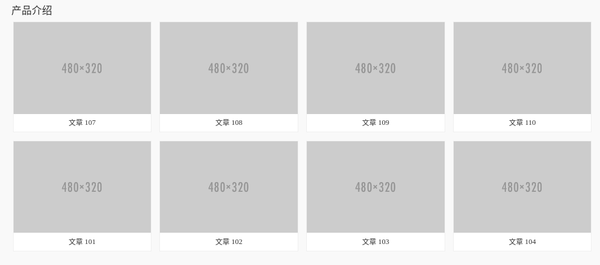
获取已发布的文章列表
如何获取文章列表?使用内置的 get_posts() 函数即可
参考文档 get_posts() | Function | WordPress Developer Resources
输出数据格式如下
array (
  0 =>
  WP_Post::__set_state(array(
     'ID' => 37,
     'post_author' => '1',
     'post_date' => '2016-12-20 15:43:02',
     'post_date_gmt' => '2016-12-20 07:43:02',
     'post_content' => '<img class="alignnone size-medium" src="http://placehold.it/480x320" width="480" height="320" />',
     'post_title' => 'test1',
     'post_excerpt' => '',
     'post_status' => 'publish',
     'comment_status' => 'open',
     'ping_status' => 'open',
     'post_password' => '',
     'post_name' => 'test1',
     'to_ping' => '',
     'pinged' => '',
     'post_modified' => '2016-12-20 15:43:02',
     'post_modified_gmt' => '2016-12-20 07:43:02',
     'post_content_filtered' => '',
     'post_parent' => 0,
     'guid' => 'http://localhost:8090/?p=37',
     'menu_order' => 0,
     'post_type' => 'post',
     'post_mime_type' => '',
     'comment_count' => '0',
     'filter' => 'raw',
  )),
  1 =>
  WP_Post::__set_state(array(
     'ID' => 1,
     'post_author' => '1',
     'post_date' => '2016-12-16 15:04:29',
     'post_date_gmt' => '2016-12-16 07:04:29',
     'post_content' => '欢迎使用WordPress。这是您的第一篇文章。编辑或删除它,然后开始写作吧!',
     'post_title' => '世界,您好!',
     'post_excerpt' => '',
     'post_status' => 'publish',
     'comment_status' => 'open',
     'ping_status' => 'open',
     'post_password' => '',
     'post_name' => 'hello-world',
     'to_ping' => '',
     'pinged' => '',
     'post_modified' => '2016-12-16 15:04:29',
     'post_modified_gmt' => '2016-12-16 07:04:29',
     'post_content_filtered' => '',
     'post_parent' => 0,
     'guid' => 'http://test_wordpress.com/?p=1',
     'menu_order' => 0,
     'post_type' => 'post',
     'post_mime_type' => '',
     'comment_count' => '1',
     'filter' => 'raw',
  )),
)
seeder
生成 pseudo post, 以便于测试。
Wordpress 开发调试过程中,最痛苦的事情莫过于没有测试数据,需要手动一条一条录入。要是能有个类似于 Laravel Seeding 的功能多好!
一番搜索,找到一个神器,WP-CLI
生成纯文本 post
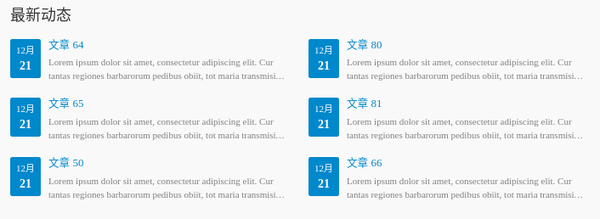
例如,为了调试“最新动态”功能,需要生成六条纯文本的文章,并且置于分类“新闻”下。
生成10篇只有标题的文章
wp post generate --count=10
生成有随机文字内容的文章
curl http://loripsum.net/api/5 | wp post generate --post_content --count=10
为指定文章添加分类
wp post term add 57 category 新闻
为指定文章添加标签
wp post term add 57 post_tag 测试
新建10篇新闻分类下的文章
wp post generate --count=10 --format=ids | xargs -d ' ' -I % wp post term add % category 新闻
加上内容
curl http://loripsum.net/api/5 | wp post generate --post_content --count=10 --format=ids | xargs -d ' ' -I % wp post term add % category 新闻
获取指定分类下最新的几篇文章
index.php
$args = array(
	'numberposts' => 6,
	'category'=> get_cat_ID('新闻'),
);
$news_list = wp_get_recent_posts($args);
index.blade.php
<ul class="new-list row">
	@foreach ($news_list as $news)
	<li class="new-list-item col-sm-6">
		<div class="new-item-time">
			<span class="new-item-month">{{ mb_substr($news['post_date'], 5, 2) }}月</span>
			<span class="new-item-date">{{ mb_substr($news['post_date'], 8, 2) }}</span>
		</div>
		<div class="new-item-text">
			<a class="new-item-title" href="{{ $news['guid'] }}">{{ $news['post_title'] }}</a>
			<div class="new-item-content">
				<p>{{ mb_substr(strip_tags($news['post_content']), 0, 150) }}</p>
			</div>
		</div>
	</li>
	@endforeach
</ul>
生成带图片的 post
先生成不带图片的 post
echo '<img class="alignnone size-medium" src="http://placehold.it/480x320" width="480" height="320" />' | wp post generate --post_content --count=10 --format=ids | xargs -d ' ' -I % wp post term add % category 产品介绍
需要注意的是,–post_content 参数只能从 STDIN 赋值
[–post_content] If set, the command reads the post_content from STDIN.
展示带图片的文章列表
index.php
$args = array(
	'numberposts' => 8,
	'category'=> get_cat_ID('产品介绍'),
);
$products = wp_get_recent_posts($args);
for ($i = 0; $i < count($products); $i++) {
	$products[$i]["thumbnail"] = catch_first_image($products[$i]["post_content"]);
}
index.blade.php
<ul class="p-list clearfix">
	@foreach ($products as $product)
	<li class="col-xs-6 col-md-3 col-sm-6 p-item">
		<div class="p-item-wrap">
			<a class="thumb" href="{{ $product['guid'] }}">
				<img src="{{ $product['thumbnail'] }}" width="480" height="320" alt="{{ $product['post_title'] }}">
			</a>
			<h2 class="title">
				<a href="{{ $product['guid'] }}" >
					{{ $product['post_title'] }}
				</a>
			</h2>
		</div>
	</li>
	@endforeach
</ul>