基于 Ubuntu Server 22.04
SuiteCRM 的安装环境要求
https://docs.suitecrm.com/admin/compatibility-matrix/
SuiteCRM 7.14.x
- PHP 8.1, 8.2
- MySQL 5.7, 8.0
安装参考文档
7.x 版本:
https://docs.suitecrm.com/admin/installation-guide/downloading-installing/
最终演示效果
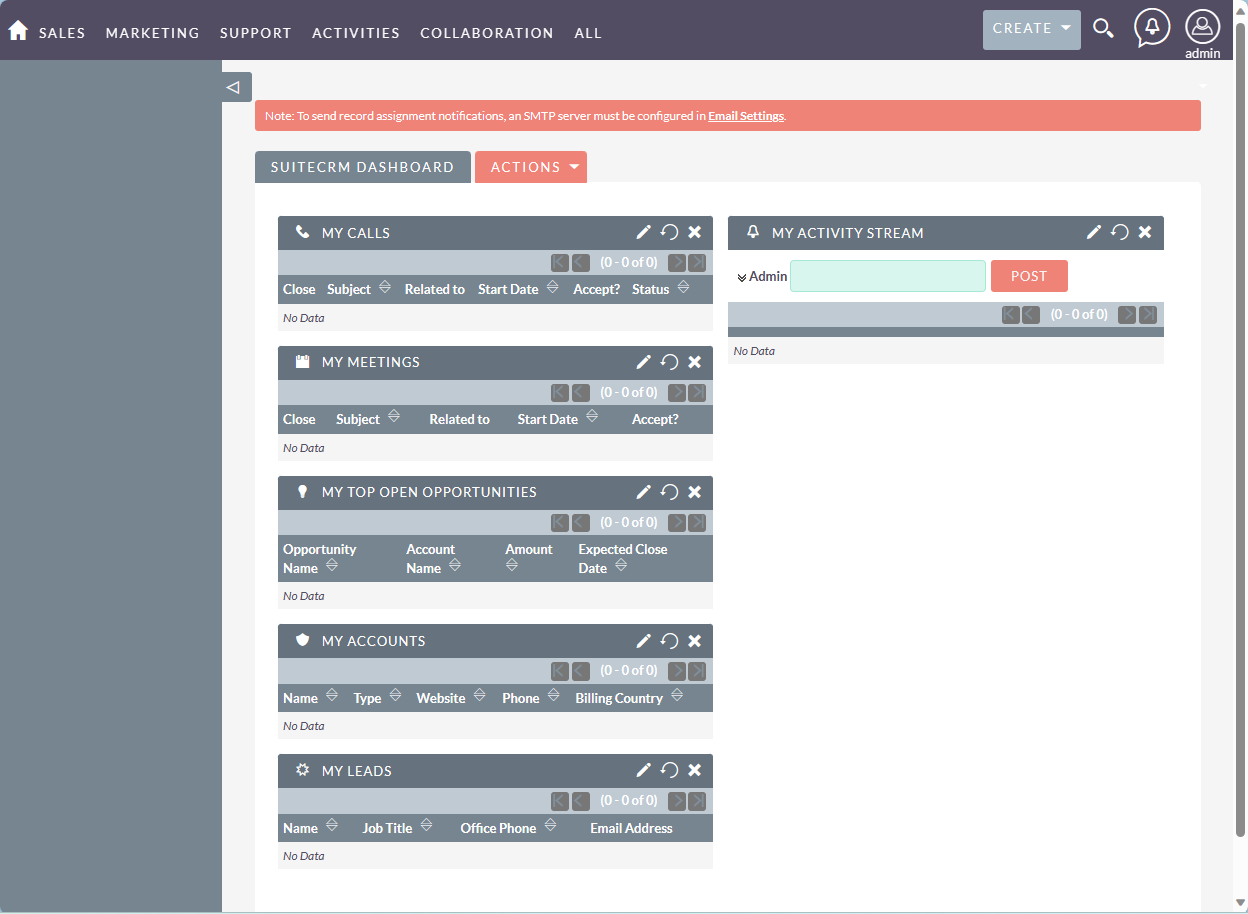
如果需要中文版,需要参考 SuiteCRM 中文翻译语言包安装。
安装 Nginx
sudo apt install nginx
安装 MySQL 8.0
sudo apt install mysql-server
相关初始化配置参考
同样适用于 22.04
新建数据库
sudo mysql
> CREATE DATABASE suitecrm;
> create user 'suitecrm'@'%' identified by 'password';
> grant all privileges on *.* to 'suitecrm'@'%' with grant option;
安装 PHP
sudo apt update
sudo apt-add-repository ppa:ondrej/php
sudo apt install php8.1
Ubuntu 18.04 安装 PHP 8.1。这个无法安装,2023 年 PHP 源因为不再支持 18.04 安装 php 8.1.
所以就新买一台阿里云的经济型实例规格族e服务器,2核2G,99 一年,除了硬盘小点只有 40G,感觉够用了。
选了 Ubuntu 22.04 的系统。
而在 22.04 上,不再需要添加 PHP 软件源,直接安装即可。
sudo apt install php8.1
sudo apt install -y php8.1-cli php8.1-common php8.1-mysql php8.1-zip php8.1-gd php8.1-mbstring php8.1-curl php8.1-xml php8.1-bcmath php8.1-fpm
确认安装成功
$ php --version
PHP 8.1.2-1ubuntu2.14 (cli) (built: Aug 18 2023 11:41:11) (NTS)
Copyright (c) The PHP Group
Zend Engine v4.1.2, Copyright (c) Zend Technologies
    with Zend OPcache v8.1.2-1ubuntu2.14, Copyright (c), by Zend Technologies
下载 SuiteCRM
https://suitecrm.com/download/
大概 57M 的压缩包
cd /var/www/
sudo wget https://suitecrm.com/download/141/suite714/563477/suitecrm-7-14-2.zip
sudo unzip suitecrm-7-14-2.zip
sudo mv SuiteCRM-7.14.2 suitecrm
设置目录权限
cd suitecrm
sudo chown -R www-data:www-data .
sudo chmod -R 755 .
sudo chmod -R 775 cache custom modules themes data upload
sudo chmod 775 config_override.php 2>/dev/null
www-data 用户名,取决于 nginx 默认的用户名,可以通过 /etc/nginx/nginx.conf 确认。
配置 PHP-FPM
如果不需要修改默认的用户,可以忽略下面文件的修改。默认就是 www-data.
sudo vim /etc/php/8.1/fpm/pool.d/www.conf
修改默认上传文件的上限:
sudo vim /etc/php/8.1/fpm/php.ini
修改
upload_max_filesize = 20M
post_max_size = 20M
cgi.fix_pathinfo=0
重启 php-fpm 服务,使其生效
sudo systemctl restart php8.1-fpm.service
Nginx 配置
sudo vim /etc/nginx/conf.d/crm.conf
具体配置
server {
	listen 80;
    server_name crm.sunzhongwei.com;

    root /var/www/suitecrm;
    error_log /var/log/nginx/suitecrm.error.log;
    access_log /var/log/nginx/suitecrm.access.log;
    client_max_body_size 20M;

    index index.php index.html index.htm;

    location / {
        # try to serve file directly, fallback to app.php
        try_files $uri /index.php$is_args$args;
    }

    location ~ \.php$ {
        # try_files $uri =404;
        fastcgi_split_path_info ^(.+\.php)(/.+)$;
        # NOTE: You should have "cgi.fix_pathinfo = 0;" in php.ini

        fastcgi_pass unix:/var/run/php/php8.1-fpm.sock;
        #Note: If you install SuiteCRM on iRedMail server, you should use the TCP socket instead.
        #fastcgi_pass 127.0.0.1:9999
        fastcgi_index index.php;
        fastcgi_param SCRIPT_FILENAME $document_root$fastcgi_script_name;
        include fastcgi_params;

        fastcgi_buffer_size 128k;
        fastcgi_buffers 256 16k;
        fastcgi_busy_buffers_size 256k;
        fastcgi_temp_file_write_size 256k;
    }

    # Don't log favicon
    location = /favicon.ico {
        log_not_found off;
        access_log off;
    }

	# Don't log robots
    location = /robots.txt  {
        access_log off;
        log_not_found off;
    }

    # Deny all attempts to access hidden files/folders such as .htaccess, .htpasswd, .DS_Store (Mac), etc...
    location ~ /\. {
        deny all;
        access_log off;
        log_not_found off;
    }

    # A long browser cache lifetime can speed up repeat visits to your page
    location ~* \.(jpg|jpeg|gif|png|webp|svg|woff|woff2|ttf|css|js|ico|xml)$ {
        access_log        off;
        log_not_found     off;
        expires           360d;
    }
}
确认配置正确,并 reload nginx
sudo nginx -t
sudo nginx -s reload
HTTPS 配置
sudo apt install certbot
sudo certbot --nginx
如果遇到错误:
ImportError: cannot import name ‘appengine’ from ‘urllib3.contrib’
可以卸载 urllib3 来解决:
sudo pip3 uninstall urllib3
再次执行:
sudo certbot --nginx
如果遇到无法生成证书的情况,先确认云服务器的防火墙规则是否没有开启 80 端口。
在线安装
Nginx 配置好后,就可以进行在线安装部署了。
例如访问
https://crm.sunzhongwei.com
会自动跳转到
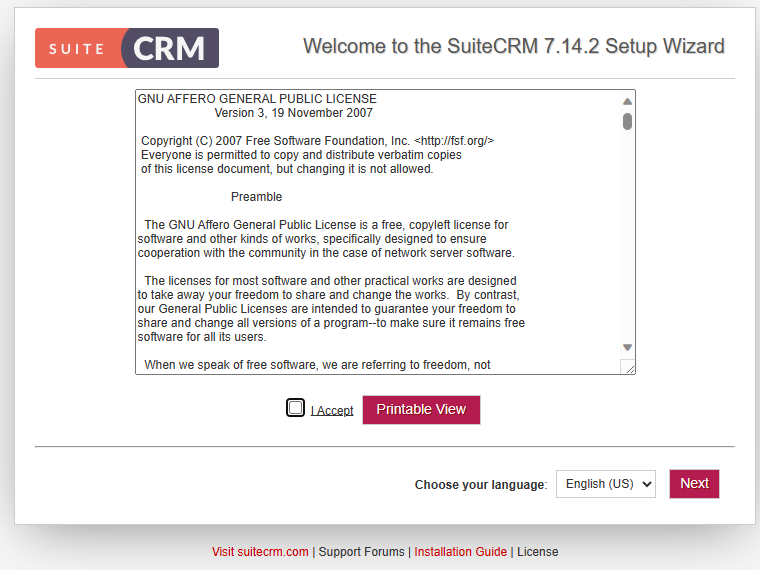
https://crm.sunzhongwei.com/install.php
看到这个界面,说明之前的配置是正常的。
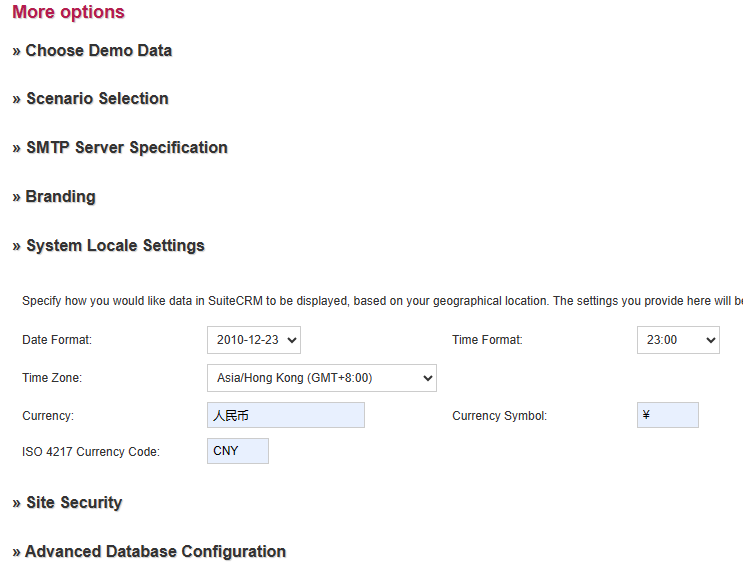
注意如果是中文用户使用,需要把默认货币改成人民币。
安装超时
填写好用户名,及密码之后,点击下一步。显示超时 504 Gateway Time-out。
查看 suitecrm 根目录下的 install.log 日志文件。
2024-01-10 03:12:38...Begin DB Check Process *************
2024-01-10 03:12:38...testing with mysql:mysqli
2024-01-10 03:12:38...Basic form info is valid, continuing Process.
2024-01-10 03:12:38...Testing user account...
数据库的 Host Name 需要修改成 localhost.
然后就可以进行安装了。
正常到此就安装完成了。
中文语言包
计划任务
注意:
You should do this only after the installation is concluded.
只有安装完成后,才能配置计划任务
sudo crontab -e -u www-data
*    *    *    *    *     cd /var/www/suitecrm; php -f cron.php > /dev/null 2>&1
TODO
- [X] 购买新服务器
- [X] 新建一个登录账号
- [X] 配置交换分区。参考 https://www.sunzhongwei.com/mysql-crash-running-discuz.html
- [X] 新建一个二级域名 crm.memscloud.cn
- [X] 安装 Nginx
- [X] 安装 PHP 8.1
- [X] 新建数据库
- [X] 配置 Nginx
- [X] HTTPS
- [X] 确认阿里云防火墙 (云服务器的安全组配置, 开放 80、443 端口)
- [ ] 计划任务
参考
- nginx suitecrm https://www.howtoforge.com/how-to-install-suitecrm-on-ubuntu-22-04/
- https://hub.docker.com/r/bitnami/suitecrm/tags