最近看了 Google Gemma 3n 模型的介绍,感觉非常不错。号称 2G 内存(E2B 版本)就可以运行,目标是运行在手机中。而且 Gemma 3n E4B(8B 参数)在多个评测中表现可媲美 Gemini 1.5 Pro 与 Claude 3.7 Sonnet,并在 LM Arena 的得分上超过了GPT4.1 nano, 成为首个在 1300 分以上的少于 10B 的模型。于是,我想在我的 Windows 笔记本上试试效果如何。
安装 Ollama
Ollama 是一个开源的工具,可以在本地运行和管理大型语言模型(LLMs)。它提供了一个简单的命令行界面来下载、运行 AI 模型。
在 Windows 11 的 WSL 1 中执行:
curl -fsSL https://ollama.com/install.sh | sh
没想到报错:
ERROR: Microsoft WSL1 is not currently supported. Please use WSL2 with 'wsl --set-version <distro> 2'
只能换回 Windows exe 版本:
https://ollama.com/download/windows
显示安装包 700M,下载需要 3 天。。。复制下载链接到迅雷即可。一会就能下载完成。
这个 ollama 还挺有个性的,头像是个草泥马。。。
安装完成后,执行以下命令查看版本:
> ollama --version
ollama version is 0.9.6
ollama 设置模型保存目录
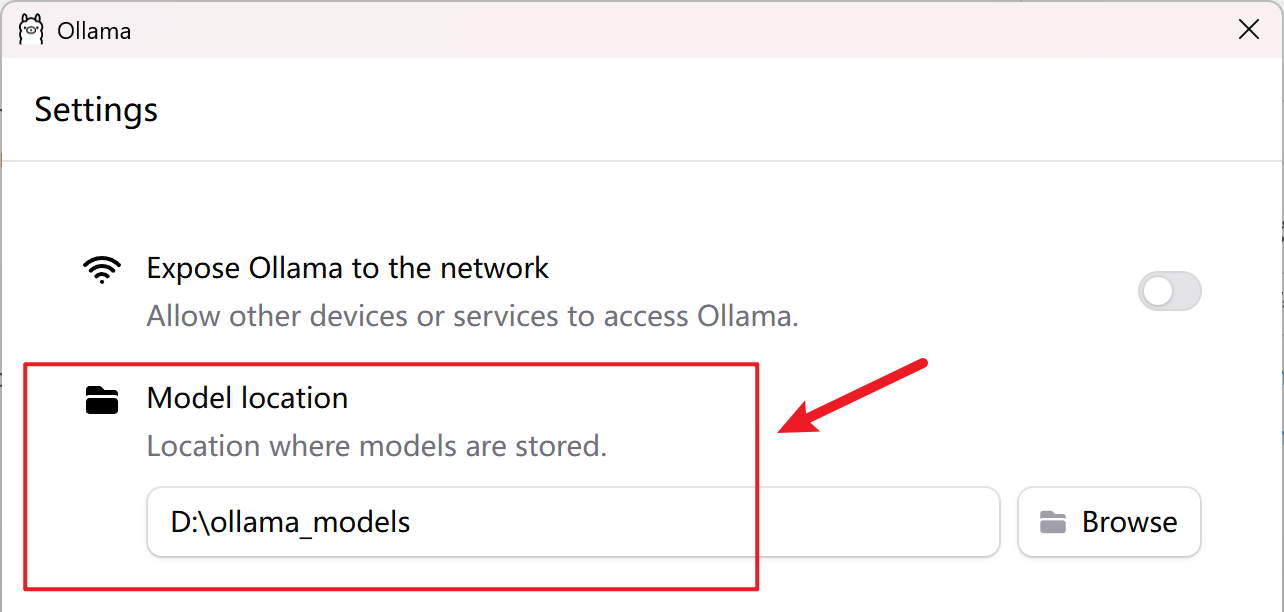
如果 C 盘空间不足,可以设置模型保存目录到 D 盘。Windows 右下角找到 ollama 图标,右键点击,选择 Settings 即可设置。
拉取 Gemma 3n 模型
Windows Powershell 执行以下命令:
> ollama pull gemma3n
文件大小 7.5G。
ollama pull 速度慢
pull 前期速度还挺快的,但是后面就慢了,会下降到 40KB/s。
这时可以,ctrl C 中断下载,再次执行
ollama pull gemma3n
这时速度就会提升一些。因为 pull 支持断点续传,所以不必担心中断下载会导致重新下载。
下载完成 ollama 会校验模型的完整性,即 SHA256 校验。
查看模型列表
> ollama list
NAME              ID              SIZE      MODIFIED
gemma3n:latest    15cb39fd9394    7.5 GB    39 seconds ago
使用模型
ollama run gemma3n
我问了一个问题,给我回复了半天,感觉回复的内容长度是平时使用的豆包或者 DeepSeek 的 5 倍以上。
回复的非常详细,说明也很详细。所以,我猜测我们平时使用的豆包和 DeepSeek 可能是限制了回复的长度。
下面只是一个开头,由于内容太长,只截取了前面的一小小部分。
PS C:\Users\zhong> ollama run gemma3n
>>> how to convert dict to json in python?
```python
import json

def dict_to_json(data, indent=None):
  """
  Converts a Python dictionary to a JSON string.

  Args:
    data: The Python dictionary to convert.
    indent:  Optional.  If provided, the JSON string will be formatted
             with an indent for readability.  Defaults to None (no indent).

  Returns:
    A JSON string representation of the dictionary.  Returns None if an error occurs.
  """
  try:
    json_string = json.dumps(data, indent=indent)
    return json_string
  except TypeError as e:
    print(f"Error: Could not convert to JSON.  Check data types.  Error: {e}")
    return None  # Or raise the exception, depending on desired behavior
内存确实占用比较低:
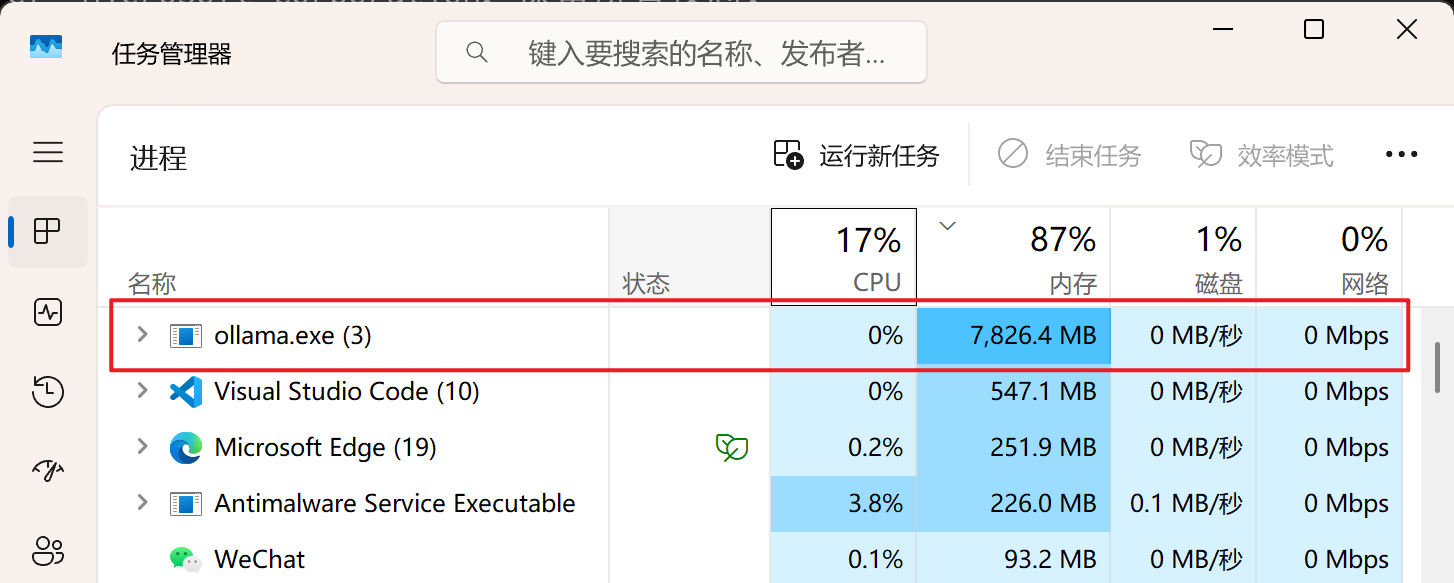
使用时 CPU 会飙高。
Gemma 3n 模型也支持中文
号称用 140 门语言进行的训练,所以支持中文。
>>> /clear
Cleared session context
>>> 中国的英文是什么?
中国的英文是 **China**。

这是最常见的也是最正式的称呼。

此外,你还可以看到:

*   **Chinese** (指中国人或汉语)
*   **Middle Kingdom** (历史上的称呼,现在不常用,有时带有讽刺意味)

所以,如果你想简单地指国家,就用 **China**。
ollama 命令行帮助
>>> /?
Available Commands:
  /set            Set session variables
  /show           Show model information
  /load <model>   Load a session or model
  /save <model>   Save your current session
  /clear          Clear session context
  /bye            Exit
  /?, /help       Help for a command
  /? shortcuts    Help for keyboard shortcuts

Use """ to begin a multi-line message.
查看模型信息
>>> /show info
  Model
    architecture        gemma3n
    parameters          6.9B
    context length      32768
    embedding length    2048
    quantization        Q4_K_M

  Capabilities
    completion

  License
    Gemma Terms of Use
    Last modified: March 24, 2025
    ...
这以后还不得人手一个大模型
HTTP API 调用
ollama 提供了 HTTP API 接口,可以通过 HTTP 请求来调用模型。
> curl http://localhost:11434/api/generate -d '{
	"model": "gemma3n",
	"prompt": "中国的英文是什么?",
	"stream": false
}'
返回的数据结构:
{
    "model": "gemma3n",
    "created_at": "2025-07-14T06:41:06.4498586Z",
    "response": "中国的英文是 **China**。\n\n这是最常用的、也是国际上通用的称呼。\n\n你还可以看到一些其他的称呼,例如:\n\n*   **The People's Republic of China (PRC)**: 中华人民共和国,是官方名称。\n*   **The People of China**: 中国人民,强调的是中国的人民。\n\n但最简单直接的英文是 **China**。\n",
    "done": true,
    "done_reason": "stop",
    "context": [
        105,2364,107,110323,55088,54847,237536,106,107,105,4368,  // 一堆数字,这里省略
    ],
    "total_duration": 15273556800,
    "load_duration": 178942200,
    "prompt_eval_count": 13,
    "prompt_eval_duration": 859841900,
    "eval_count": 88,
    "eval_duration": 14234234600
}